



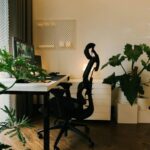
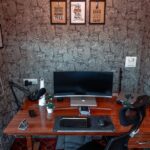

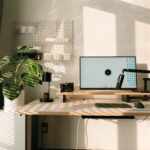



Creating a productive home office environment is essential for anyone working remotely or running a business from home. Whether you’re new to working at home or looking to improve your current setup, there are several strategies you can use to boost your focus, comfort, and overall efficiency. This guide will walk you through practical tips to design a home office that works well for you.
Why a Good Home Office Environment Matters
A well-organized and comfortable workspace can help reduce distractions, increase motivation, and make your workday more enjoyable. Without the right setup, you may face issues like discomfort, poor focus, or trouble separating your work life from home life.
Choosing the Right Space
Find a Dedicated Area
Choose a space that can be used solely for work whenever possible. This helps your brain associate the area with productivity. It could be a spare room, a corner of your living room, or even a section of your bedroom.
Consider Natural Light
Natural light is beneficial for mood and alertness. Try to set up near a window if possible. If natural light is limited, use bright, adjustable lighting to reduce eye strain.
Ergonomics Matter
Invest in a Quality Chair and Desk
Comfort is key for long work hours. Select a chair that supports your back and allows your feet to rest flat on the floor. A desk at elbow height helps maintain good posture.
Position Your Screen Properly
Place your computer screen at eye level and about an arm’s length away to avoid neck strain and eye fatigue.
Organize Your Workspace
Declutter Regularly
A tidy desk can help you focus better. Keep only essential items on your workspace and store paperwork and supplies neatly.
Use Storage Solutions
Incorporate shelves, filing cabinets, or desk organizers to keep your space orderly and free of distractions.
Minimize Distractions
Create Boundaries
Let family members or roommates know your work hours and ask for quiet during those times.
Turn Off Non-Work Notifications
Limit distractions by silencing personal phone alerts or social media notifications while working.
Personalize Your Space
Adding a few personal touches such as plants, photos, or artwork can make your workspace more inviting and boost your mood. Just be mindful not to clutter your desk with too many items.
Manage Noise
If your home office is in a noisy area, consider noise-canceling headphones or white noise machines to help maintain focus.
Establish a Routine
Set Regular Work Hours
Keeping consistent start and end times helps create a work-life balance and trains your mind to focus during those periods.
Take Breaks
Regular short breaks, such as a five-minute stretch every hour, can improve concentration and reduce fatigue.
Use Technology Wisely
Reliable Internet Connection
Ensure your internet is fast and stable enough to handle video calls and online work tasks with ease.
Productivity Tools
Use apps for task management, time tracking, and virtual meetings to stay organized and connected.
Maintain Good Air Quality
A well-ventilated space can improve alertness and comfort. If possible, open windows occasionally or use air purifiers.
Keep Hydrated and Nourished
Having a bottle of water nearby encourages hydration, and scheduling snack breaks can keep your energy levels stable.
Final Thoughts
Designing a productive home office environment does not require a large budget or complex equipment. By focusing on comfort, organization, and minimizing distractions, you can create a workspace that supports your productivity and well-being. Try implementing these tips gradually and adjust based on what works best for you. Happy working!