








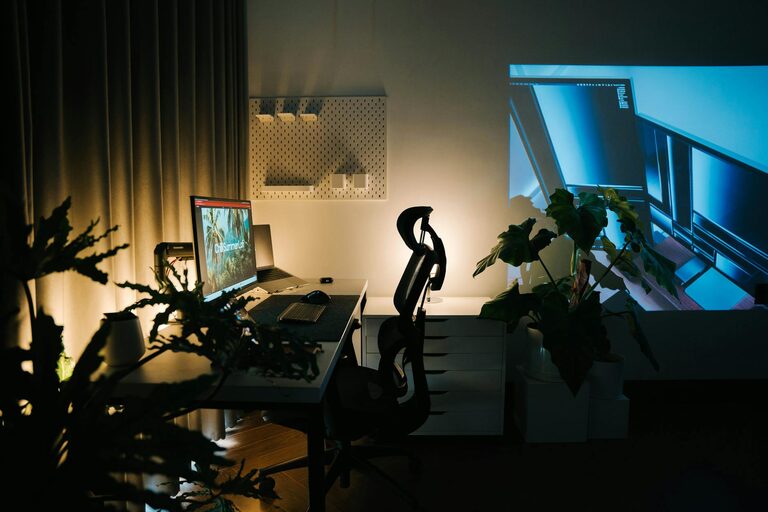
Creating a cozy and functional home workspace is essential for anyone working from home or spending time on personal projects. An ideal workspace not only supports productivity but also makes your work routine more enjoyable and less stressful. Whether you have a dedicated room or just a small corner, these tips will help you craft a space that feels inviting and efficient.
Choose the Right Location
The first step is selecting the best spot for your workspace.
– Natural Light: Aim for a place with ample natural light. Sunlight helps improve mood and focus.
– Quiet Area: Pick a location away from household noise or interruptions.
– Space Considerations: Even a small nook can work if organized thoughtfully.
If possible, avoid working in places associated with rest or leisure, like your bed or couch, to help your brain separate work time from relaxation.
Invest in Comfortable Furniture
Comfort is key when you spend hours working at a desk.
– Ergonomic Chair: Choose a chair that supports your back and encourages good posture.
– Desk Size: The desk should fit your equipment and allow extra space for writing or organizing.
– Adjustable Options: Consider adjustable desks or chairs for flexibility in posture and height.
Comfort reduces physical strain, helping you stay focused longer.
Organize Efficiently
An organized workspace enhances productivity and reduces distractions.
– Declutter Regularly: Keep only essential items on your desk.
– Storage Solutions: Use shelves, drawers, or baskets to keep supplies tidy.
– Cable Management: Use clips or trays to avoid tangled wires.
Labeling storage and keeping similar items together saves time and minimizes frustration.
Personalize Thoughtfully
Adding a personal touch makes your workspace feel cozy and inviting.
– Colors: Use colors that inspire you, like calming blues or energizing greens.
– Plants: Incorporate small plants to add life and help purify the air.
– Art and Photos: Hang artwork or photos that motivate and uplift you.
Avoid overdecorating; too many items can cause distractions or clutter.
Optimize Lighting
Good lighting is crucial for comfort and reducing eye strain.
– Task Lighting: Use adjustable desk lamps for focused work.
– Ambient Lighting: Soft overhead or floor lamps create a warm atmosphere.
– Avoid Glare: Position screens and lamps to prevent glare and reflections.
Balance natural and artificial lighting based on the time of day and weather.
Prioritize Technology and Tools
Make sure your workspace has the right tools to support your work.
– Reliable Internet: A strong connection is essential, especially for virtual meetings.
– Quality Equipment: Invest in a good monitor, keyboard, and mouse for comfort.
– Accessories: Use items like a headset or external microphone to improve communication.
Regularly update your software and backup your work to avoid interruptions.
Create a Routine and Boundaries
Even the best workspace needs structure to be effective.
– Set Work Hours: Define specific start and end times to create work-life balance.
– Breaks: Step away regularly to stretch and rest your eyes.
– Minimize Distractions: Use noise-canceling headphones or background music if helpful.
Communicate your schedule with family or housemates to minimize interruptions.
Maintain Cleanliness
A clean workspace supports a clear mind.
– Daily Tidying: Spend a few minutes each day tidying your desk.
– Deep Cleaning: Clean your workspace weekly, including sanitizing surfaces.
– Air Quality: Ventilate your space regularly to keep air fresh.
A clean environment promotes well-being and prevents germs.
—
Designing a cozy and functional home workspace doesn’t require a big budget or a large space. With some thoughtful planning and regular upkeep, you can create an environment that supports your work goals while keeping you comfortable and focused. Start small, personalize it to your taste, and adjust as you discover what works best for you.